Personal Routes
On the personal routes page you can:
-
View your personal routes.
-
Create new personal routes.
-
Edit your personal routes.
-
Delete one or all personal routes.
Predefined personal routes can be used to add a set of favorite route. You can use this feature wherever you can find the button  next to the routeinput field in the whole application.
Step 1 (open screen)
From the User Profile menu, select the Personal Routes screen.
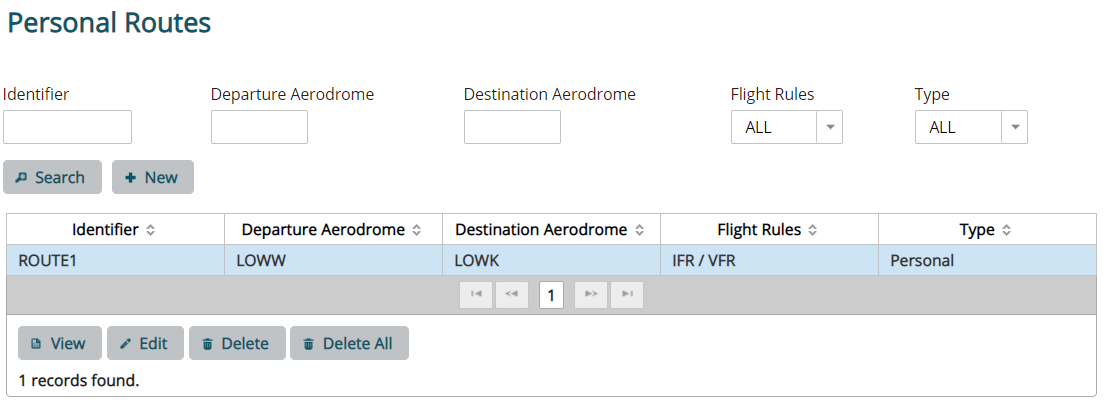
Fig.: Personal Routes
Step 2 (option: create new)
Click on New to create a new personal routes list. Define the name of your personal routes list and the included routes.
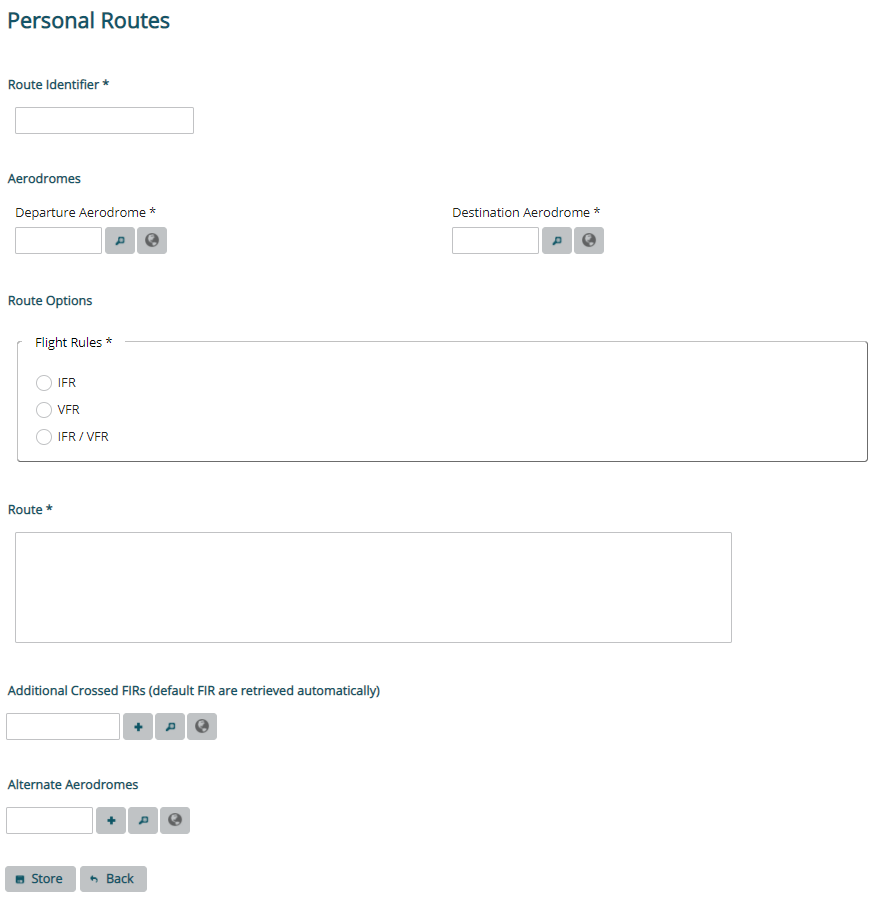
Fig.: Create Personal Route
Step 3 (option: view)
To view a personal route, select it from the list and click on View.
Step 4 (option: edit)
Select a personal route and click on Edit.
Step 5 (option: delete)
To delete a personal routes list, select the personal route and click on Delete. The personal route disappears now from the list.
If you want to delete all your personal routes, click on Delete All.