AIP Library
Step 1 (open screen)
Click on AIP Library. The AIP Library screen appears.
Step 2 (define filter criteria)
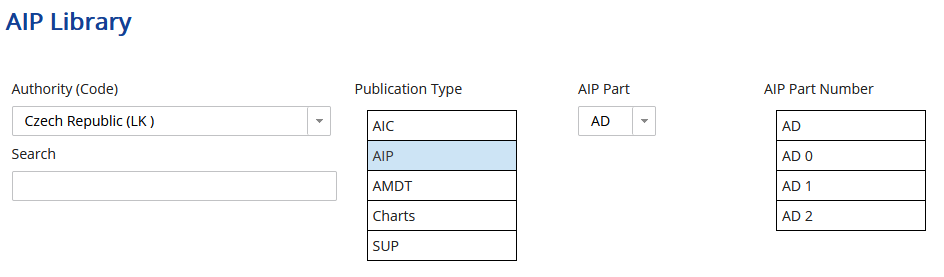
The AIP Aeronautical Information Publication Library screen contains filter possibilities for filtering the AIPs.
Authority (Code)
Select for which authority you want to search for AIPs.
Publication Type
Select the type of the publication.
-
AIP
-
AMDT
-
Charts
-
SUP
AIP Part
If you selected Publication Type AIP, select the AIP Part:
AIP Part Number
Select the number for the AIP part.
Search
Enter a free-text search string. The search is case-sensitive. It searches the filename and the title.
Step 3 (search for AIPs)
Click on Search to get a list of AIPs that match your filter criteria.
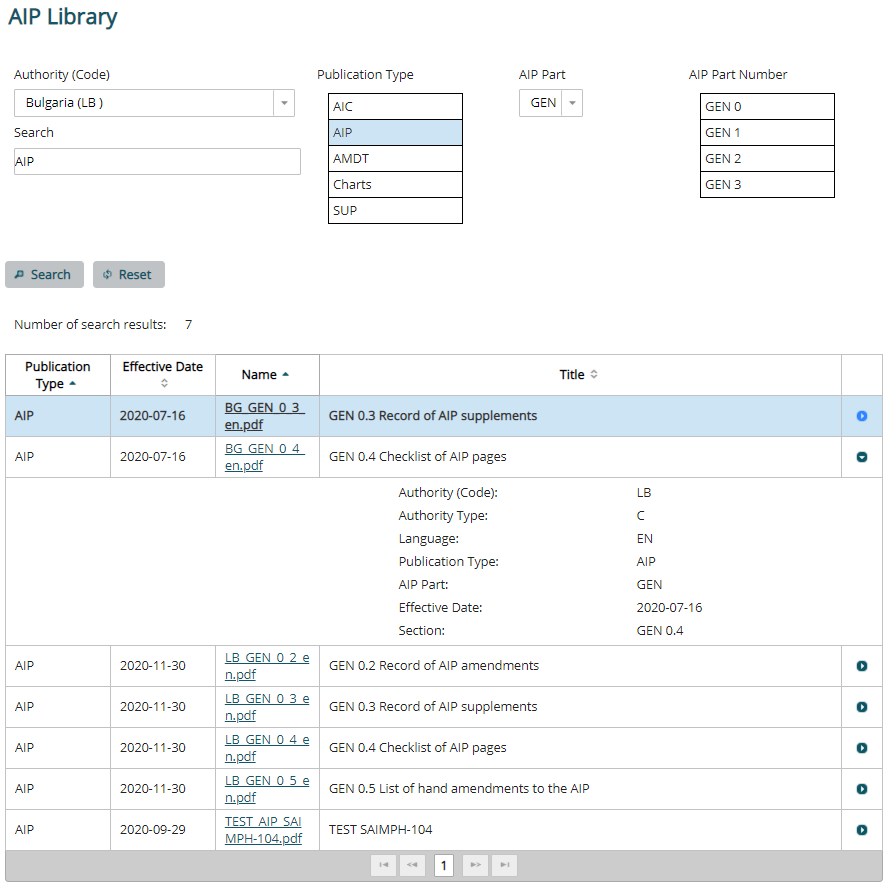
Fig.: Search for AIPs
Step 4 (show the AIP)
Show details
Click on the button  to show the details of the AIP.
Click on the PDF Portable docent format file name of the AIP to open it.